
Alula Security
Alula, LLCHouse & Home
4.2506.00 Reviews
- Version
- Varies With Device
- Installs
- 100.00K
- Age Rating
- Everyone
Screenshots
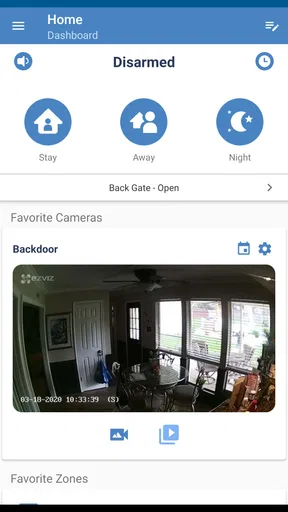
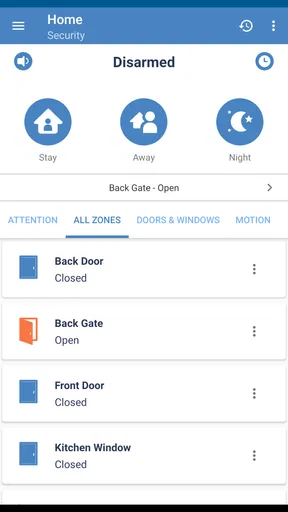
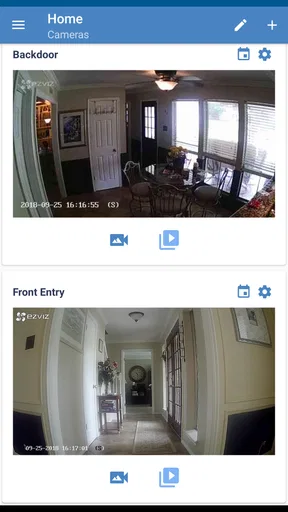
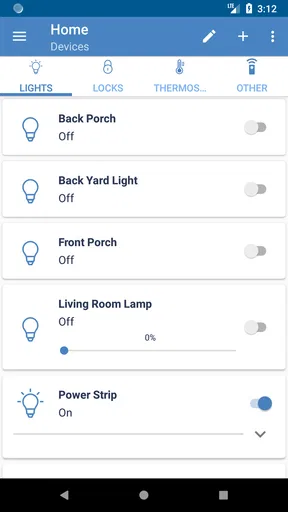
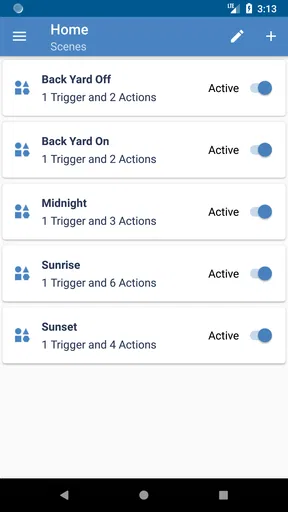
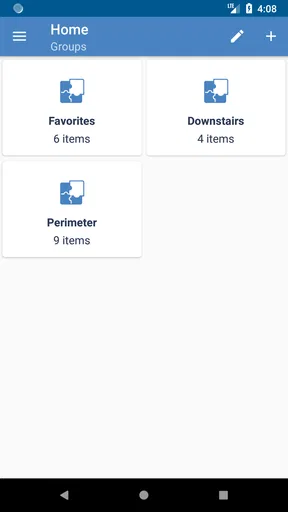
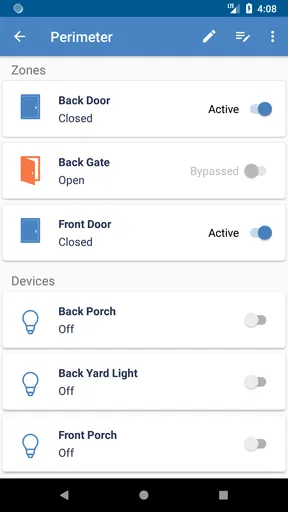
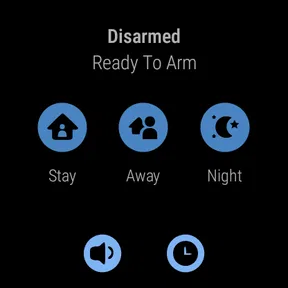
Our Review of Alula Security
 Analysis by Appyee
Managing a connected home is easy to imagine and sometimes surprisingly awkward in practice. The real test is not whether a security app can show a polished dashboard, but whether it helps me move from an ordinary situation—leaving the house, hearing an alert, or checking in remotely—to a clear and useful outcome. That is where Alula Security makes the most sense. Developed by Alula, LLC, this free House & Home app brings smart control of home automation and security into one mobile experience.
I approached it as the kind of tool I would use during a normal week rather than as a gadget to admire for a few minutes. The app is aimed at people whose homes already use compatible Alula equipment and who want a practical way to interact with that setup from a phone. It is not a replacement for a complete security installation, and it does not turn an ordinary home into a connected one by itself. Its value begins after the Alula system is in place.
The Android version is suitable for Everyone and requires Android 8.0 or later. It is free to install, and its listing shows more than 100 thousand installs, with an average rating of 4.2 from roughly 3.5 thousand ratings. Those figures suggest a reasonably established audience, but they are less important than the central question: does the app make the daily handoff between me, my phone, and my home more dependable?
From an ordinary situation to a useful home-security outcome
When I think through an ordinary moment—leaving home in a hurry, or remembering a security check after I’m already out—the useful question is how to turn uncertainty into a sensible next step. I’d start by checking the home’s reported state, then decide whether anything needs attention rather than tapping through controls automatically. That small pause matters because a clear routine is what makes mobile access helpful, which leads into how the app fits a household’s wider security habits.
Starting with the home rather than the phone
The starting condition is usually simple. I am about to leave, I want to check the state of the house, or I need to respond to a security-related event while I am away. In each case, the phone is only one part of the chain. The Alula system, its connected devices, the account, the network connection, and the app all have to work together before a tap becomes a meaningful action.
That distinction matters because people often judge smart-home apps as though they were standalone utilities. Alula Security is better understood as a control point for an Alula-based home. If I am comparing it with a general smart-home dashboard, I would first ask whether my security equipment belongs to the same ecosystem. A broad platform may be more flexible for mixing brands, while this app is more relevant when the priority is keeping Alula security and automation interactions together.
The first useful habit is to treat the app as part of a routine, not as the only source of truth. Before leaving, I would open it early enough to review the home state rather than waiting until I am already driving away. That small change reduces the pressure of a delayed connection or an unclear status. It also gives me time to deal with a problem while I am still physically near the property.
For a household with several people, the starting condition includes communication. Everyone should know who is expected to use the app, who handles an alert, and what the normal response is. A security application can display information, but it cannot decide whether a family member should return home, call someone nearby, or contact emergency services. The useful outcome depends on the human workflow around it.
The step-by-step flow I would actually use
My basic departure routine would begin by opening the app and checking the current home view before attempting any change. I would look for anything that needs attention, such as a state that does not match what I expect or a device that appears unavailable. Only then would I carry out the relevant security or automation action exposed by my system.
The important insight is that confirmation is more valuable than speed. A single tap can feel reassuring, but a responsible routine includes checking the resulting state afterward. If the app presents a changed status, I would take that as the completion point; if the screen remains uncertain, I would not assume the home is protected simply because I pressed a control.
This two-stage approach is especially useful when the phone is being used in a noisy or distracting setting. A rushed action from a driveway, airport queue, or supermarket car park is exactly when a person can miss a warning. I prefer to separate the command from the verification: make the change, pause, and confirm what the app reports back.
A realistic evening example shows the workflow more clearly. I leave work later than planned and remember that I may have changed the home state earlier in the day. Instead of asking another household member to guess, I open Alula Security, review the displayed condition, and decide whether an adjustment is needed. If the app reflects the new state after the action, I have a clear outcome. If it does not, I treat that as a handoff problem rather than silently assuming everything worked.
That approach also helps when automation is involved. I would use automation to reduce repetitive steps, but I would not let it replace situational awareness. A routine that is convenient on a normal weekday may be wrong when a guest is staying over, a contractor is present, or someone has left unexpectedly. The app is most useful when it supports judgment instead of encouraging me to stop checking.
Where the handoffs happen
The first handoff is between the installed home equipment and the mobile application. The app can only present and control what the connected Alula setup makes available. If a device, account, or connection is not behaving properly, the phone becomes the visible point of failure even when the underlying issue is elsewhere.
The second handoff is between the app and the person using it. A notification or displayed state still requires interpretation. I need to know whether it calls for immediate action, a quick check with someone at home, or no response at all. This is why I would avoid giving every household member an undefined responsibility. Clear ownership is more reliable than a group assumption that somebody else will handle it.
The third handoff involves people outside the app. A family member may need to check a door, a neighbor may need to look at the property, or a monitoring arrangement may define the next step. Alula Security can fit into that chain, but it does not remove the need for a plan. In my view, this is one of the less obvious realities of security software: the screen is often the beginning of a decision, not the decision itself.
For shared homes, I would establish a short verbal protocol before relying on remote control. Everyone should understand what a normal status looks like, what to do if the app cannot connect, and when not to change a setting remotely. This prevents the common problem of two people responding at once and leaving each other unsure about the final state.
What the result feels like in daily use
When the workflow succeeds, the benefit is quiet rather than dramatic. I can handle a routine security or home-automation check without needing to be physically beside the equipment. The app becomes a convenient bridge between the home and the moments when I am away from it. That is a meaningful improvement over relying on memory, a manual visit, or separate controls for every part of the setup.
The strongest use case is consistency. A person who regularly forgets whether the home was set correctly may gain more from a quick remote check than from a collection of advanced options. Likewise, someone who travels or works irregular hours can use the app as a way to stay connected to the home workflow without asking another person to perform every simple check.
I also see value for households that want security and automation considered together. Keeping those tasks in one app can reduce the mental jump between “is the home secure?” and “is the home set up as expected?” A separate app for each function may offer more specialized controls, but it also creates more opportunities to forget which app handles which task.
The free price makes trying the mobile side of an existing Alula setup straightforward. That does not mean the complete home-security experience is cost-free, because the practical value depends on the equipment and service arrangement connected to the app. I would therefore read “free” as the cost of the application itself, not as a promise that every part of a protected home requires no expense.
Where the flow breaks
The main weakness is dependency. If I do not already have a compatible Alula environment, installing the app alone is unlikely to deliver the experience I am looking for. This is the point where a general smart-home platform may be a better starting place for someone who wants to combine products from different manufacturers.
Another friction point is uncertainty during a connection problem. Remote control is only reassuring when the app can communicate clearly with the home. If a command appears slow or a status does not update, I have to resist the temptation to repeat the action several times. Repeated commands can make the final state harder to understand, particularly when another person is also interacting with the system.
I would also skip this app if my main goal were broad device compatibility, elaborate custom scenes, or a single dashboard for unrelated brands. Alula Security is a focused choice for Alula-centered security and automation, not a universal controller. A wider platform may suit a home built around lighting, speakers, thermostats, cameras, and appliances from many ecosystems.
There is a human limitation too: the app cannot compensate for a poorly defined household routine. If nobody agrees on who responds to alerts or how to verify a remote action, the convenience of mobile control may create false confidence. My practical advice is to test the complete chain during a calm moment, with each person involved, rather than waiting for a real incident to discover confusion.
Who should use it and who should look elsewhere
I would recommend Alula Security to someone who already relies on Alula equipment and wants a phone-based way to manage the home while moving through everyday life. It is particularly suitable for people who value a direct security workflow over a huge catalogue of unrelated smart-home products. The app also makes sense for households that need remote awareness but want to keep the number of control points manageable.
I would be more cautious for a renter or a first-time smart-home buyer who has not chosen an ecosystem yet. In that situation, the better decision is to compare the available hardware, compatibility, account structure, and long-term service needs before choosing the app. The mobile interface should follow the home system, not be the only reason to select one.
People who need highly specialized automation may also prefer another option. A broad smart-home platform can be stronger for cross-brand routines, while a dedicated camera or alarm application may offer deeper controls for one narrow function. The trade-off is that those alternatives can fragment the experience. Alula Security’s advantage is the more focused path from checking the home to acting on it.
My final assessment after following the workflow
Alula Security succeeds when I use it for what it is: a mobile connection to an Alula-powered home, with the emphasis on practical security and automation control. Its best quality is not a flashy feature but the way it can shorten the distance between noticing a home-related question and getting a useful answer. The workflow is simple when the equipment, account, connection, and household responsibilities are all aligned.
Its limitations are equally important. The app is tied to its ecosystem, remote actions still need verification, and a phone cannot replace a sensible response plan. Those are not reasons to dismiss it; they are reasons to set realistic expectations before depending on it.
With an Alula setup already in place, I would consider this a worthwhile free companion for everyday checks and remote interaction. I would install it on a compatible Android device running Android 8.0 or later, establish a shared household routine, and test the handoffs before treating it as part of my security habits. Used that way, it feels less like another app competing for attention and more like a practical final link between the home and the person responsible for it.
Verdict
Strengths of Alula Security
- Quickly alerts you to unusual activity around monitored areas.
- Simple interface makes security events easy to review.
- Useful for checking property status while away from home.
- Can help provide extra awareness alongside existing security measures.
- Notifications may support faster responses to potential incidents.
Limitations of Alula Security
- Requires compatible Alula security hardware to provide full functionality.
- Some features may depend on an active monitoring service subscription.
- Internet or mobile connectivity is needed for remote access and alerts.
- Frequent notifications can become distracting in busy environments.
- Initial setup may require technical knowledge or installer assistance.
Similar Picks in This Category
View All
Universal TV Remote Control
CodeMatics Media Solutions3.9

AlfredCamera Home Security app
Alfred Systems Inc.4.7

Planner 5D: AI Home Design
Planner 5D4.5

Universal Tv Remote-Cast to TV
One Music Player4.1

Zillow: Homes for Sale & Rent
Zillow Group4.8

99acres Buy/Rent/Sell Property
infoedge.com4.3
Frequently Asked Questions
What is Alula Security, and what can it do?
Alula Security is a mobile companion for compatible Alula home security systems. After connecting it to a supported account and panel, users can typically check system status, arm or disarm selected areas, receive alerts, and interact with connected security devices. The exact features depend on the Alula equipment, monitoring plan, permissions, and services installed at the property.
Is Alula Security compatible with every alarm system or smartphone?
No. Alula Security is designed to work with compatible Alula security panels, sensors, cameras, automation products, and professionally configured monitoring services rather than every alarm system on the market. Before downloading, confirm that your security provider supports the app and that your panel is connected to an eligible Alula platform. It is also important to use a supported Android or iOS version.
Can I arm or disarm my home remotely with Alula Security?
Remote control may be available when your Alula system and monitoring service support it and your user account has the required permissions. The app can show the current status and may allow different arming modes, such as stay or away, depending on the installation. Always verify the status after sending a command, since connectivity, panel settings, or an active alarm can affect the result.
Does Alula Security send alerts when an alarm or sensor event occurs?
The application can provide notifications for supported events, such as alarms, entry delays, system status changes, trouble conditions, or activity from connected devices. Notifications depend on your panel configuration, monitoring subscription, phone permissions, internet access, and the alert rules set by the account administrator. For reliable protection, enable notifications and avoid relying on the app as the only emergency communication method.
Is Alula Security free, and is professional monitoring included?
Downloading the Alula Security app may not require a separate purchase, but access to its functions generally depends on compatible Alula hardware and an account created through an authorized dealer or monitoring provider. Professional monitoring, cellular communication, video services, storage, and other features may involve recurring fees. Review your provider’s contract and service plan before assuming that all app features are included.
